Play Now
How to join?
Welcome to the community! To protect our server and ensure everyone has the best experience, we are a whitelisted server running the Cobblemon mod.
Follow these simple steps to get set up, catch your starter, and join the adventure.
Step 1: Get Whitelisted
Before you can connect to the server, you need to be approved by our staff.
- Join our official Discord server: discord.midnightsnacksurvival.com
- Navigate to the whitelist application channel and follow the instructions pinned there.
- Once a staff member approves you, you are ready to set up your game!


Step 2: Install Cobblemon
Our server currently runs on Cobblemon version 1.7.3. You cannot join with a vanilla Minecraft client. Choose one of the two methods below to install the mod.
Method A: The Modrinth App
We highly recommend using the Modrinth launcher, as it automatically handles the correct Minecraft version and mod dependencies (like Fabric/Forge and the Kotlin library).
- Download and install the Modrinth App from their official website.
- Search for “Cobblemon” in the app.
- Select Version 1.7.3 and click “Install.”
- Click “Play” on your new Cobblemon profile!

Method B: Manual Installation
If you prefer to use the default Minecraft launcher or another client:
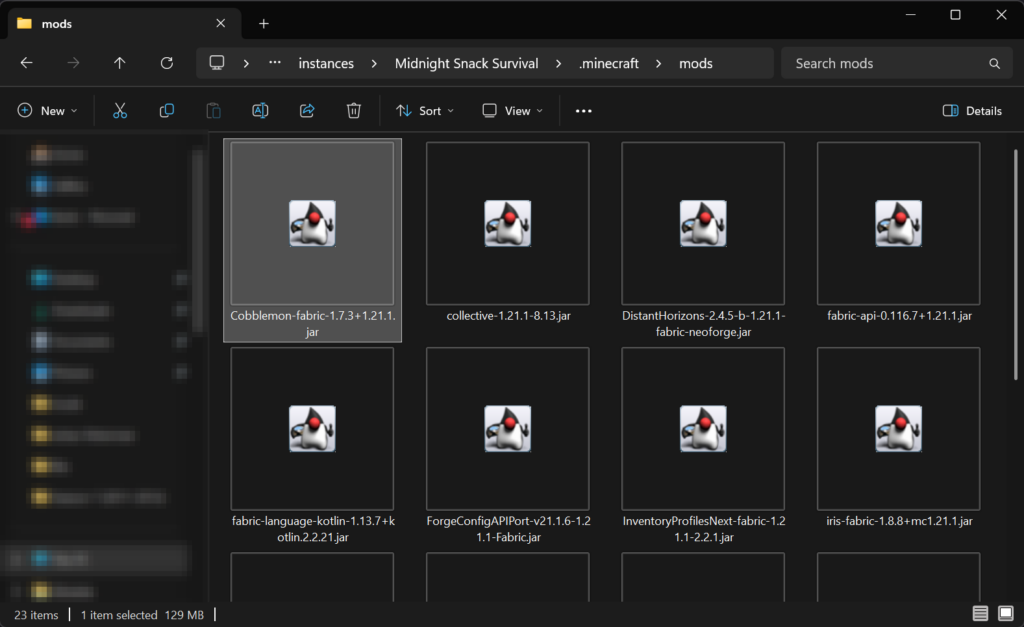
- Install your preferred mod loader (Fabric or Forge) for the matching Minecraft version 1.21.1
- Download Cobblemon 1.7.3 from the official Modrinth or CurseForge page.
- Download the required dependencies (e.g., Fabric API and Fabric Language Kotlin if you are using Fabric).
- Drop the
.jarfiles into your.minecraft/modsfolder.
Step 3: Add Recommended Mods
While Cobblemon is the only required mod, we highly recommend adding a few client-side mods to improve your performance and gameplay:
- Performance: Sodium (for Fabric) or Rubidium (for Forge) to drastically improve your FPS.
- Navigation: Xaero’s Minimap or JourneyMap.
- Utility: Just Enough Items (JEI) or Roughly Enough Items (REI) so you can easily look up crafting recipes for Pokéballs and healing items.
- Building: Litematica (Ghost mode only).
Step 4: Join the Server!
Once you are whitelisted and your game is loaded with Cobblemon 1.7.3, you are ready to play.
- Server IP: mc.midnightsnacksurvival.com
Go to Multiplayer -> Add Server -> Paste the IP -> Join!
Step 5: Read Up Before You Play
To make sure you have the best time possible and don’t accidentally break any rules, please take a few minutes to review our community guidelines and documentation:
- 📖 Read the Server Rules – Learn what is and isn’t allowed in-game and in voice chat.
- 📚 Check the Server Wiki – Your go-to guide for server-specific features, economy details, and custom commands.
Need help installing the mod or getting an error when joining? Ask around in our Discord!